


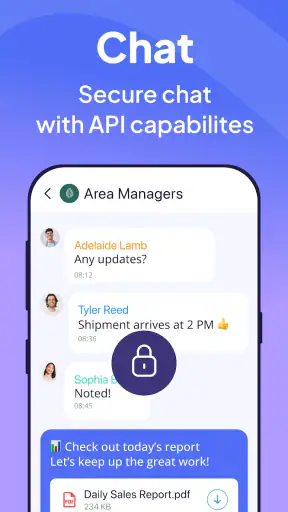
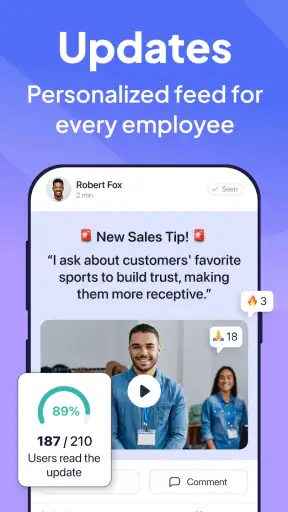
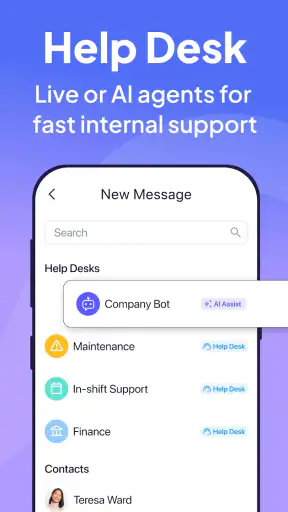
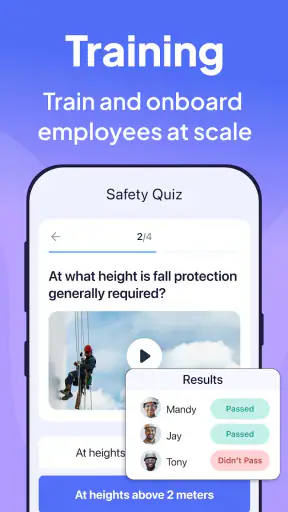
I approached Connecteam as a practical business app rather than another chat tool, and that distinction matters. Its purpose is to help teams organize employee-related work in one place, especially when people are not sitting together at desks. The idea is simple: reduce the small gaps between managers and staff that usually get filled with scattered messages, spreadsheets, paper notes, and last-minute calls.
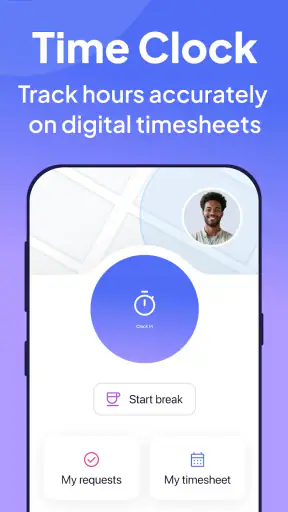
In my experience, the app makes the most sense for businesses with hourly, mobile, field-based, or distributed employees. A manager can use it as a central point for keeping people aligned, while employees get a more direct way to stay connected to the workplace. It is free to install, rated for Everyone, and developed by Connecteam Inc., so the entry barrier is low for a team that wants to test a dedicated employee-management app before committing to a more complicated system.
The important question is not whether it can replace every business tool. It cannot, and it should not be judged that way. The better question is whether it can make everyday coordination less fragmented. After spending time with it, I see a useful product for businesses that have outgrown informal group chats but do not want to begin with a large, intimidating workforce platform.
How Connecteam feels during everyday use
Quick access is part of the value
The perceived speed of a workplace app is not only about how quickly a screen opens. It is also about how many steps stand between an employee and the action they need to take. Connecteam benefits from having a focused purpose: employee management. When the app is used for routine team communication and organization, the experience feels more direct than switching between a messaging app, a calendar, a shared document, and a separate employee portal.
I found that this matters most at the beginning and end of a shift. Those are moments when people rarely want to explore menus or interpret complicated instructions. A staff member may simply need to check what the team is doing, find a workplace update, or respond to something relevant. A manager may need to communicate with several employees without rebuilding the same message in multiple places. A concentrated workspace can make those moments feel less chaotic.
That does not mean every business will experience the same sense of speed. A small team with only occasional announcements may find a familiar messaging service faster because everyone already knows it. Connecteam becomes more valuable when the workplace has enough moving parts that convenience comes from organization, not merely from opening a conversation quickly.
The real performance advantage is reduced switching. If employees currently move between personal messages, documents, noticeboards, and informal reminders, bringing work communication into a dedicated environment can make the day feel faster even when the app itself is only one part of the process.
What happens when the team is busy
Heavy use is where I would judge this app more carefully. A business app has to remain understandable when several people are active, managers are sending updates, and employees are checking information at different times. That is a different challenge from using an app alone on a quiet afternoon. The interface has to help people distinguish useful work information from background noise.
Connecteam is best suited to teams that establish clear habits around it. For example, a manager can decide that operational updates belong in the team space, while urgent personal matters use a different route. Employees can then learn where to look instead of treating every message as equally important. This is a small workflow decision, but it has a major effect on perceived performance because it prevents the app from becoming another noisy inbox.
One of my more useful takeaways is that the app should be introduced with a communication routine, not just an installation instruction. If a company tells staff to download it without explaining what belongs there, the result may be duplicated conversations and uncertainty. If the company defines it as the place for employee-facing coordination, people have a reason to return and the app’s structure becomes more useful.
There is also a trade-off for managers. Centralization saves time once the team understands the system, but it creates an initial responsibility to keep information tidy. A poorly organized workplace can make any management app feel slow because users spend time searching, checking, and confirming. Connecteam can support a cleaner process, but it cannot replace sensible workplace rules.
A realistic day with the app
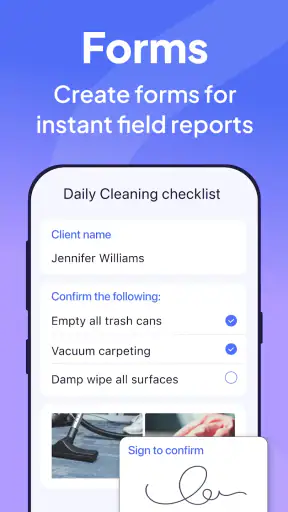
Imagine a small service business with employees moving between locations. The manager starts the day by sharing an operational update, while staff members check the information from their phones rather than waiting for everyone to meet in person. Later, one employee needs clarification and the manager can keep the discussion within the work context instead of mixing it with personal conversations. At the end of the day, the same team has a record of the relevant communication instead of relying on someone remembering a verbal instruction.
That scenario is where I think Connecteam earns its place. It is not performing a dramatic task; it is reducing repeated explanations and making the team’s routine more visible. For a desk-based group that already works comfortably inside a full office suite, the benefit may be smaller. For employees who spend much of their time away from a computer, a mobile-first management space can be more practical than expecting everyone to use desktop-oriented tools.
Stability and the importance of recovery
Reliability in an employee app includes more than staying open. People need confidence that they can return to the same work environment after a break, a busy period, or an interrupted session. I look for whether an app supports a predictable habit: open it, understand what needs attention, complete the task, and leave without wondering whether the information went to the right place.
Connecteam has been available since May 18, 2016, and its continued presence gives it the profile of an established product rather than a newly launched experiment. Its current version is 9.1.14, which also indicates that the app is maintained through ongoing releases. Those details do not guarantee a perfect experience on every phone, but they make me more comfortable recommending it for a real workplace than an app with no visible history of continued development.
Recovery is especially important for employees who use a phone during a fragmented workday. They may open the app between tasks, leave it while dealing with a customer, and return later. A good employee-management workflow should not punish that pattern. In practical terms, I would encourage managers to make important instructions clear and self-contained rather than assuming every employee will read a long stream of updates in real time.
That advice is not a criticism unique to Connecteam. It is a consequence of using any shared mobile workspace. The app can centralize information, but a team still needs to decide what deserves immediate attention and what can wait. Without that distinction, staff may feel overwhelmed even if the application itself remains stable.
Device limits and the mobile trade-off
Connecteam supports devices running Android 7.0 or later, which covers a broad range of Android phones. That is helpful for businesses where employees use different generations of devices instead of receiving identical company hardware. The Everyone content rating also makes it suitable for a general workplace audience rather than restricting it to a narrow age group.
Still, compatibility is not the same as comfort. Older phones may have less responsive screens, limited storage, or a more crowded background workload. A business should test the app on the actual devices employees use, particularly if the workforce includes older Android hardware. This is one of the most practical checks to make before rolling it out widely: do not evaluate it only on the manager’s newest phone.
Resource demands also depend on how the app is used. An employee who opens it occasionally for essential updates is asking less of the device than someone who checks it repeatedly throughout a busy shift. If the phone is already carrying navigation, calls, payment tools, or other work applications, the overall experience may feel heavier even when Connecteam is not the cause of every slowdown.
For that reason, I would avoid treating the app as a replacement for every other workplace system. Its strength is focused employee coordination. Businesses should keep specialized tools for specialized jobs when those tools are already working well, and use Connecteam to make the employee side of the operation more coherent.
Where it beats familiar alternatives
The usual alternative for a small business is often a mixture of a group chat, a shared spreadsheet, email, and verbal reminders. That mixture is inexpensive and familiar, but it creates problems when employees need to know which source is current. A chat thread is quick but can bury important information. Email is formal but may be ignored by staff who are rarely at a desk. A spreadsheet can hold details but is not always comfortable for everyday mobile communication.
Connecteam’s advantage is that it is designed around the employee-management relationship rather than around general-purpose messaging. I would choose it over a basic chat group when the team needs a clearer work home and more consistent routines. I would choose a broad office suite instead when the business depends heavily on documents, complex collaboration, or deep desktop workflows. The right choice depends on where the friction actually occurs.
There is another important comparison with large workforce-management platforms. Bigger systems may offer more specialized controls, integrations, reporting, or administrative depth. That can be worthwhile for a complex organization with dedicated administrators. But a smaller company may spend more time configuring such a platform than solving its original communication problem. Connecteam feels more approachable for a business that wants a practical starting point and can accept that it is not the entire technology stack.
Useful habits that improve the experience
My first recommendation is to define one clear purpose for the app during the first week. Do not move every business process into it at once. Start with employee-facing updates and coordination, then see whether the team actually returns to it naturally. This makes adoption easier to judge and helps reveal whether the app solves a real problem or merely adds another destination.
Second, create a simple rule for urgent communication. A mobile workplace app is useful, but employees should not be expected to monitor it continuously unless that is explicitly part of the job. Separating urgent matters from routine updates protects attention and makes the app feel calmer. It also prevents managers from assuming that posting something automatically means everyone has seen it.
Third, review the team’s information flow after the first few busy days. Look for repeated questions, duplicated announcements, or employees asking where to find something. Those are not just training issues; they show where the workflow needs adjustment. Connecteam works best when the manager treats it as a shared operating habit rather than a digital noticeboard that can be filled without maintenance.
Finally, test the experience from an employee’s perspective. A manager may appreciate centralization while a staff member sees extra steps. Ask whether a person can open the app during a normal shift, identify what matters, and finish the required action without help. That practical test is more revealing than a feature checklist.
Who should use it, and who should skip it?
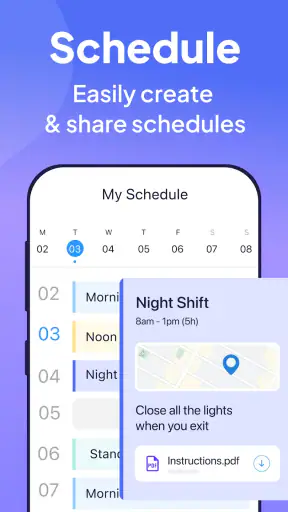
I would recommend Connecteam to small and midsize teams with mobile employees, rotating schedules, field work, or a need to bring scattered staff communication into one dedicated place. It is also a sensible option for a business moving away from informal group chats but not ready for a large enterprise deployment. The fact that it is free to install makes experimentation easier, although a company should still assess its complete operational needs before making it the center of work.
I would be more cautious if your organization already has a mature employee platform that everyone uses consistently. Replacing a stable system only because Connecteam appears simpler may create unnecessary migration work. I would also look elsewhere if your main need is advanced document production, detailed project planning, or highly specialized administration. Those are situations where a broader or more focused tool may be a better fit.
The app is not a magic solution for poor communication. If managers send unclear instructions, change plans without updating the team, or use several channels at once, Connecteam will not remove that confusion by itself. Its value appears when the business is willing to make a clear decision about where employee information belongs.
My performance verdict
Connecteam gives me the impression of a practical, established business app built for teams that need more structure than ordinary messaging but less complexity than a heavyweight workforce suite. Its strongest performance quality is organizational: it can make employee coordination feel quicker because the work conversation has a defined home. That benefit is most noticeable for people who are mobile, distributed, or frequently away from desks.
The app’s broad Android support is useful for mixed-device workplaces, while the maintained version history and long availability make it a credible choice for ongoing use. At the same time, businesses should test older phones, create communication rules, and avoid expecting one app to replace every specialized system. Those steps determine whether the experience feels smooth or burdensome.
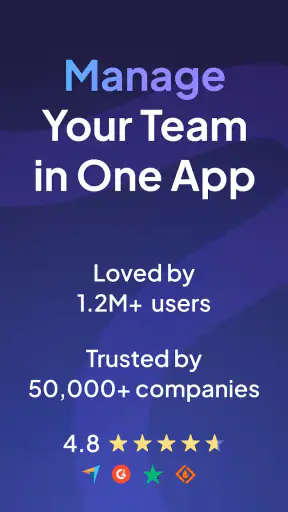
With an average rating of 4.8 from around 29 thousand ratings and more than 1 million installs, it has clearly attracted substantial interest from Android users. I treat those figures as encouraging context rather than a substitute for testing, because workplace success depends heavily on team habits. The free price and Everyone rating lower the risk of trying it with a small group first.
My final view is positive, with a clear boundary: Connecteam is strongest when the problem is scattered employee coordination. If that describes your business, I would give it a serious trial and judge it by whether staff can find, understand, and act on work information with fewer interruptions. If your needs are mainly documents, advanced enterprise controls, or a fully integrated office system, another category of tool may serve you better. For the right team, though, this app can turn everyday management from a collection of reminders into a more dependable routine.


